Are you a designer looking to create an intuitive and visually appealing coffee app? Whether you’re designing an app for a local coffee shop or a global coffee chain, a well-designed coffee app can make a big difference in user engagement and satisfaction. In this tutorial, we’ll dive into the process of designing a coffee shop app UI in Figma, one of the most popular tools for app design.
By the end of this post, you’ll have a clear understanding of how to design a coffee shop app that’s both functional and visually appealing, ensuring users have a seamless experience while ordering their favorite coffee drinks.
To learn Figma, UI/UX design, web design, mobile app ui design, responsive design, no-code development, and AI-powered tools, and to download premium quality UI kits, Check out my YouTube channel (@uixDesignAcademy) for simple and easy beginner tutorials!
Why Figma is Perfect for Coffee Shop App Design
Figma has become the go-to design tool for many UI/UX designers because it’s powerful, collaborative, and easy to use. It’s a cloud-based tool that allows multiple designers to work on the same file in real time, making it ideal for teams working on coffee shop app designs.
Figma also offers robust features like:
Auto Layout for responsive designs
Vector Networks for precise design control
Collaboration tools for real-time feedback
Prototyping to test the flow and functionality of the app
These features make Figma a perfect choice when designing a coffee shop app that needs to work across multiple devices (desktop, tablet, and mobile).
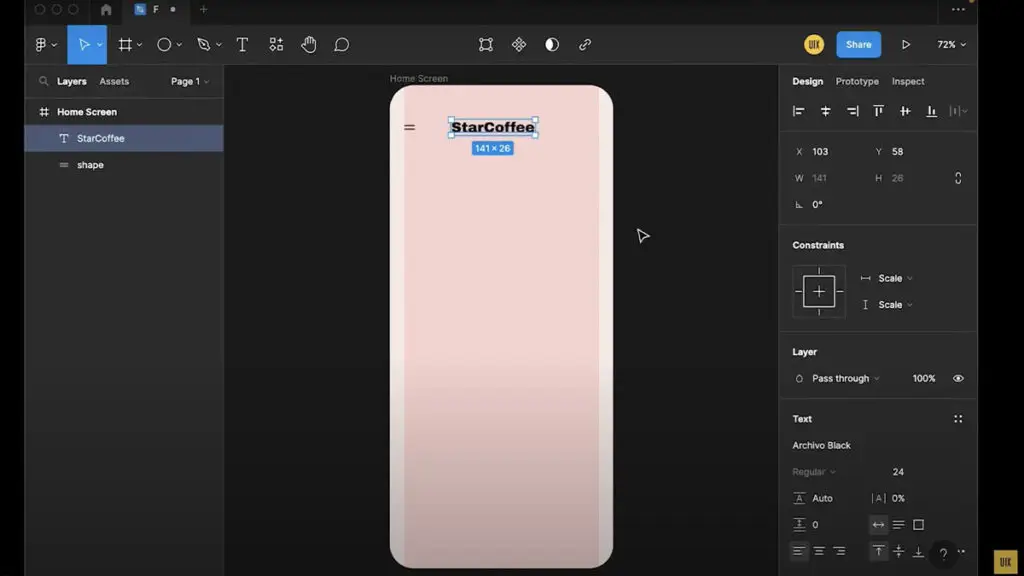
Step-by-Step Guide to Designing a Coffee Shop App in Figma
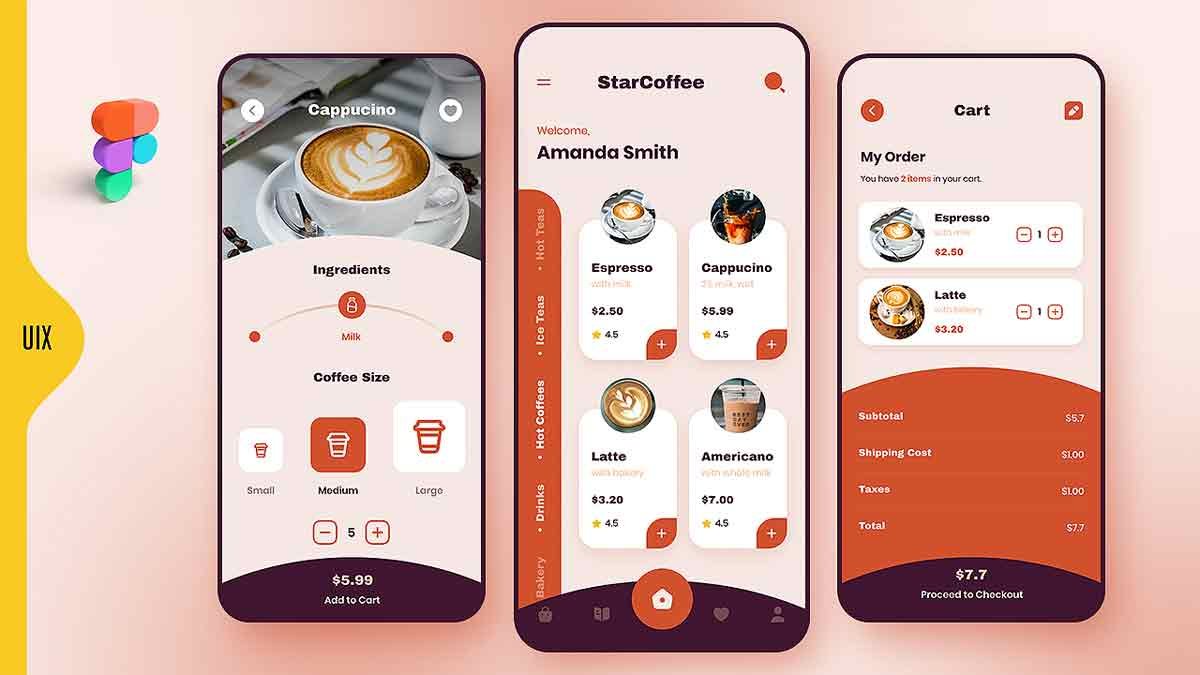
Let’s break down the process of designing a coffee shop app UI in Figma into manageable steps. This guide will walk you through creating the main screens that every coffee app needs: the Home Page and the Order Page.
Step 1: Start with the Home Screen Design
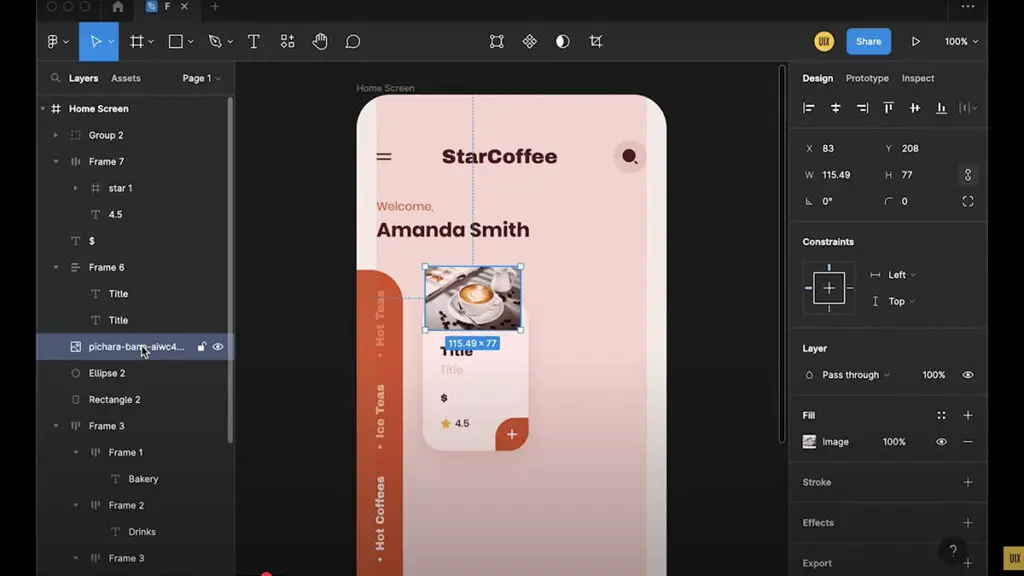
Home Screen is the first thing users will see when they open your coffee app, so it’s essential to make a strong first impression. Here’s how you can structure it:
Header & Logo: At the top of your design, place the coffee shop’s logo and a simple menu button (hamburger menu) for easy navigation.
Search Bar: Allow users to search for their favorite drinks, coffee blends, or coffee shop locations. Make sure the search bar is prominent, intuitive, and easy to use.
Featured Image: Use high-quality images of coffee drinks to capture the attention of your users. This could be a rotating carousel or a static image.
Categories Section: Categorize the coffee offerings—like Espresso, Latte, Cappuccino, etc. Grouping products helps users quickly find what they want.
Step 2: Design the Order Page
The Order Page is where users will make their selections and place an order. This page should be straightforward but provide enough detail to give the user full control over their coffee choices. Here’s what to include:
Coffee Drink Options: Display a grid or list of coffee drinks available at the coffee shop. Each item should have an image, name, price, and a brief description.
Customization Options: Allow users to customize their orders by selecting size, milk options, or additional toppings (like whipped cream or extra syrup). Use dropdowns or sliders for an intuitive experience.
Cart & Checkout: At the bottom of the page, include an easy-to-access cart icon with a live update on the items the user has added. A clear checkout button should be visible.
Payment Integration: Ensure that the payment section is clean and simple, offering various payment methods like credit cards, mobile wallets, or coffee shop loyalty points.
Step 3: Mobile Optimization
Since many users will access your coffee shop app via smartphones, it’s crucial to design for smaller screens. Figma’s Auto Layout feature is great for ensuring that the app looks great and functions well on mobile devices.
Collapsible Menus: On smaller screens, consider using hamburger menus to save space while maintaining easy navigation.
Responsive Buttons: Make sure buttons are large enough to tap on mobile screens and adjust according to screen size.
Simplify Layout: For mobile, reduce the number of elements on the screen to avoid clutter. Focus on essential features and keep it user-friendly.
Step 4: Prototype the User Flow
Once your coffee shop app design is ready, it’s time to prototype it. Figma’s prototyping feature allows you to link your screens together to simulate how users will navigate the app. This helps in understanding the user journey, from browsing the menu to placing an order and completing the payment process.
Interactive Elements: Add interactions like button clicks, transitions, and pop-up menus to make your prototype realistic.
Feedback Loops: Show success messages when an order is placed or a payment is processed.
Step 5: Testing the Design
Before finalizing your design, always conduct usability testing. Figma makes it easy to share prototypes with others to gather feedback. Share your coffee shop app prototype with friends, family, or real users and see how they interact with the design.
Gather Insights: Ask for feedback on usability, navigation, and overall user experience.
Refine: Based on the feedback, refine your design to make sure the app is as user-friendly as possible.
Tips for Creating an Amazing Coffee Shop App UI Design
Consistency: Keep the design consistent across screens. Use the same font styles, button styles, and color schemes to create a cohesive look.
Branding: Make sure your app’s design reflects the coffee shop’s branding. Use colors, fonts, and icons that are aligned with the shop’s personality.
User-Centered Design: Focus on creating an experience that users will love. Make the interface simple, intuitive, and easy to navigate.
Speed and Efficiency: Ensure that the app is fast. Users should be able to find their favorite coffee and place an order within seconds.
Watch the Full Figma Tutorial
Designing a coffee shop app is an exciting project, but it takes time and attention to detail. If you’re interested in diving deeper into the design process, I’ve created a complete tutorial where I walk you through each step of designing a coffee shop app UI in Figma.
Click the Watch Full Tutorial button below to see exactly how I created this design from scratch and learn the techniques I used to make it responsive, user-friendly, and visually appealing.
Also checkout our food app design tutorial.